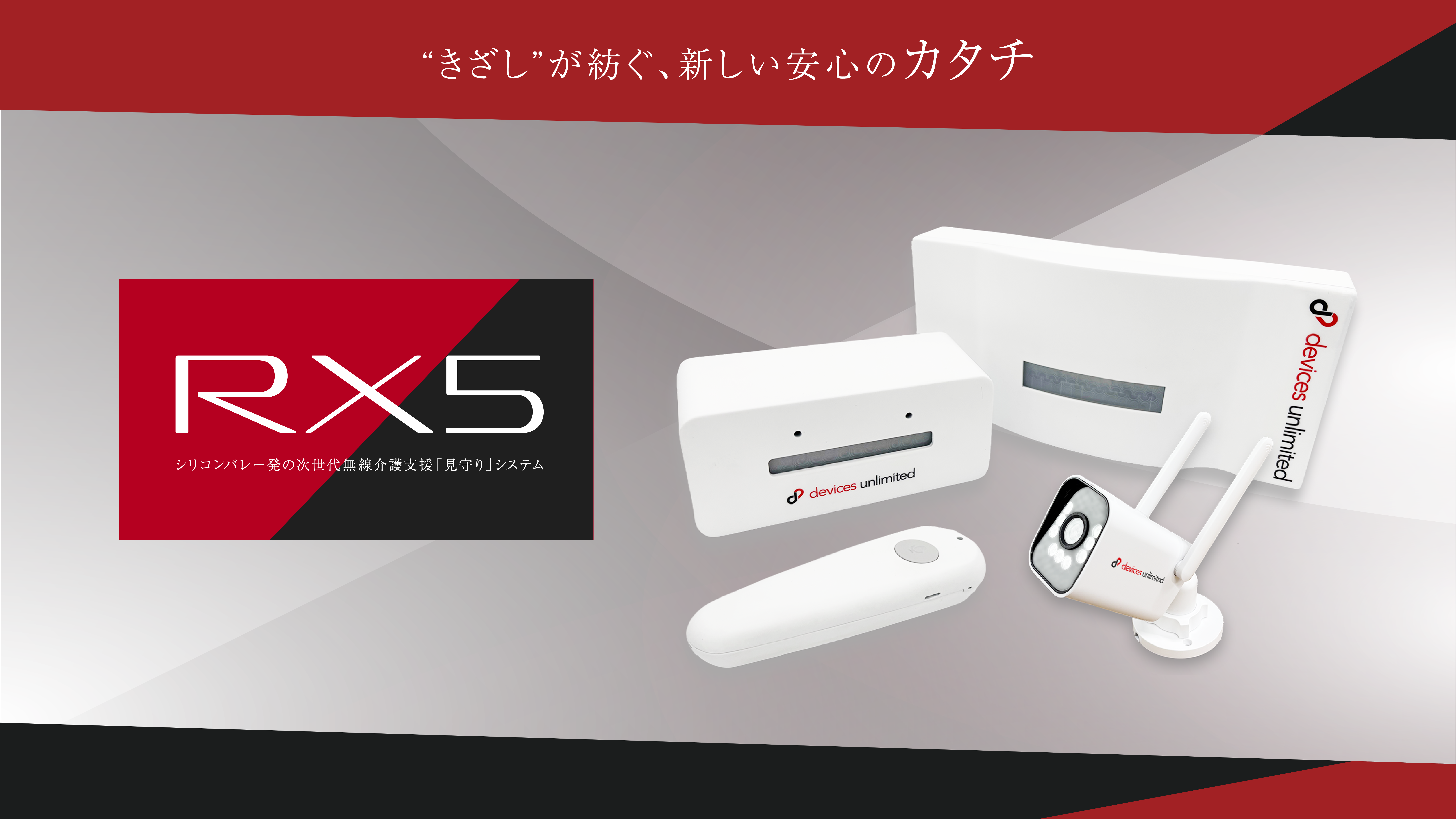
Visualize the "signs" that indicate assistance is needed.
RX5 is a monitoring system that connects people to support at the appropriate time.
The RX5 care monitoring system combines the advantages of sensors and cameras, allowing for detection of any abnormalities when necessary without disturbing or monitoring residents.

Dr. A. Marcy
The developer of RX5. He is dedicated to technological development, constantly researching and developing systems that anticipate residents' behavior, while empathizing with the concerns of both care facilities and families. He founded Device Unlimited in Silicon Valley.
Representative Takahashi
Co-developer of RX5. Questioning the fact that conventional monitoring systems did not reduce the burden on caregivers and medical staff as much as expected, he is working to improve RX5 through daily interviews. He co-founded a company in Silicon Valley with Dr. A. Marcy and also serves as the representative of the Japanese subsidiary.
What is a "sign"?
"Signs" refer to warning signs that appear in a resident's behavior or condition and could lead to risks such as wandering or falling. Before a major accident or incident occurs, small changes always appear.
Unlike conventional patrol methods or surveillance cameras, RX5 visualizes these "signs," allowing for detection of abnormalities when necessary, without waking or monitoring residents.
Concerns of facility managers and on-site staff
I want to protect my privacy.
I don't want to disturb your peaceful sleep.
Even so, I want to be there for them when they need it.
Falling accidents result in a huge amount of follow-up work.
It's too late once you've fallen, so we want to prevent it from happening in the first place.
Despite continued recruitment efforts, the labor shortage persists, and operations are constantly overwhelmed.
With labor costs and prices continuing to rise, we want to keep investment and operating costs to a minimum.
Concerns of residents and their families
I don't like being watched by cameras 24/7.
I don't want my life and activities to be known more than necessary.
I get woken up during nighttime patrols and can't get enough rest.
I want to sleep peacefully in a quiet environment like my own home.
I want to do things myself that I can do myself.
Rather than excessive support, I'd prefer you watch over me from the sidelines.
I feel hesitant to call the staff over multiple times.
I can't properly ask for help when I really need it.
Easily install only what you need, where you need it
You can check the status anytime on your tablet, smartphone, or PC.
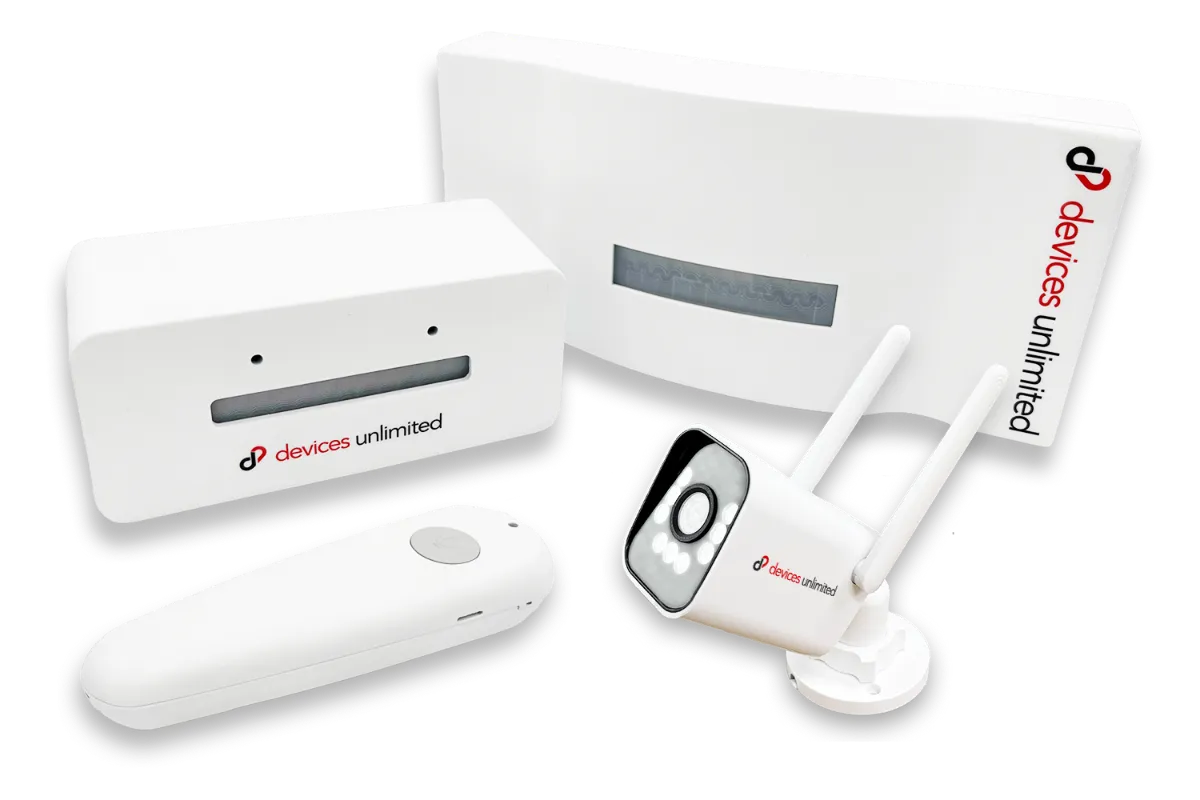
RX5 Basic Set
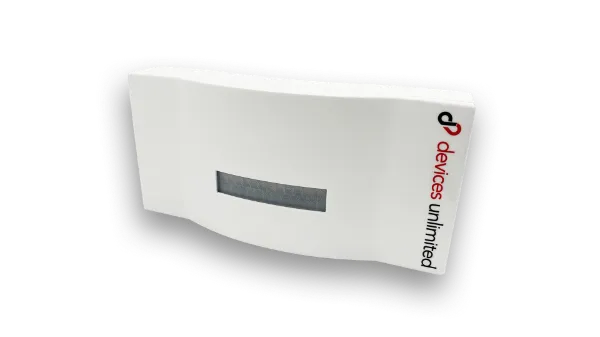
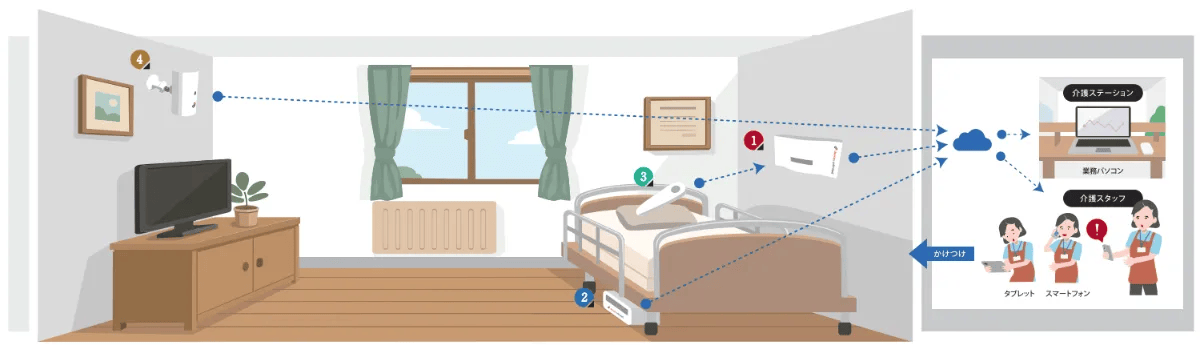
Main Unit (Bedside)
It detects movements such as getting up in the room, room illumination, temperature and humidity, and unusual noises, and identifies potential signs that could lead to falls or accidents based on everyday changes in conditions.
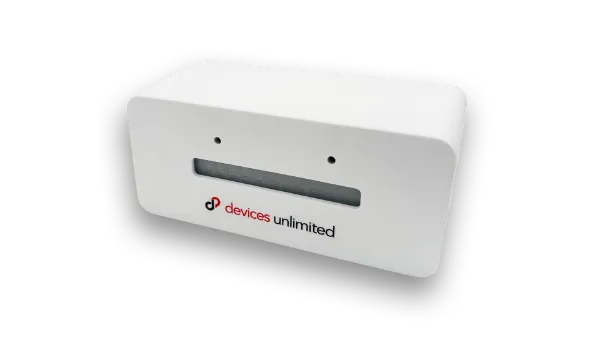
Subunit (Floor / Door)
It detects movement through doors and foot movements to identify actions that require attention, such as getting out of bed or moving outside the room.
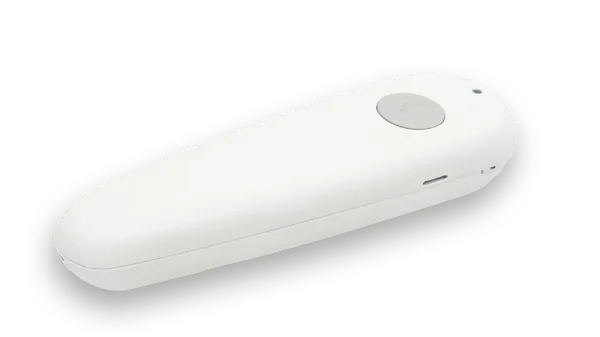
Conversation Unit
It features a call function that connects staff and residents, allowing staff to assess the situation and provide safe guidance even before arriving at the scene.
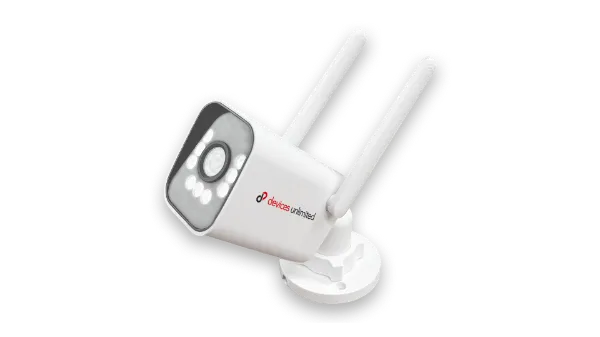
Camera Unit
It operates only when an anomaly is detected and necessary, allowing for situation monitoring while respecting privacy.
A diverse array of sensors detects signs of activity
Automatically detects when the patient gets up, turns on the lights, leaves the bed, makes a call, sends an SOS, or leaves the room. Supports reliable decision-making and response even during night shifts.
Examples of incident detection using sensors
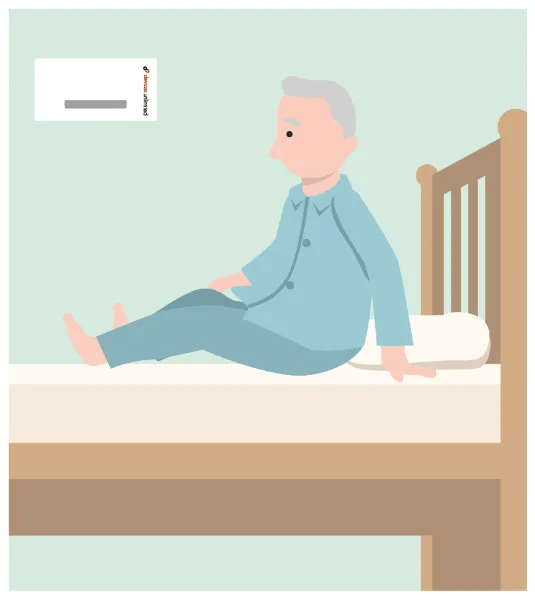
Resident getting up in bed
The main unit's sensors detect the upper body movements of the residents.
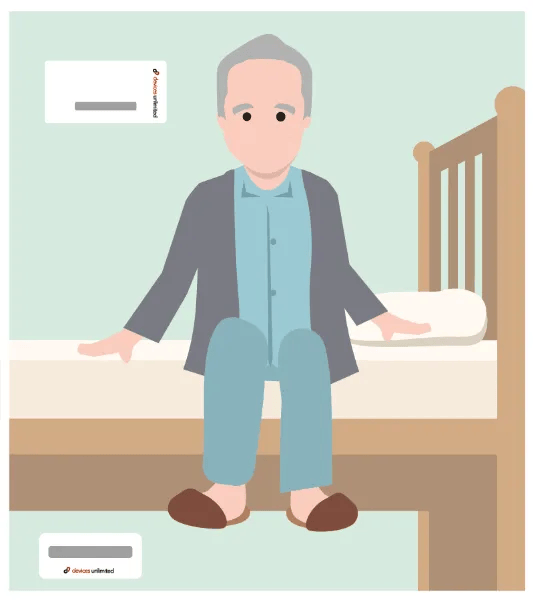
Getting out of bed
After detection by the main unit, a sensor in a sub-unit placed under the bed detects the resident's foot movements and estimates whether they have left the bed.
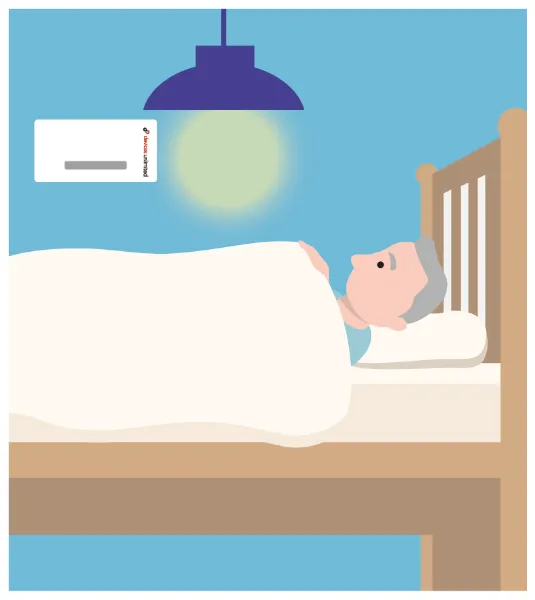
Turn on the lights in the room
By detecting when the lights in a room are turned on, it can detect signs that the resident is about to take some kind of action.
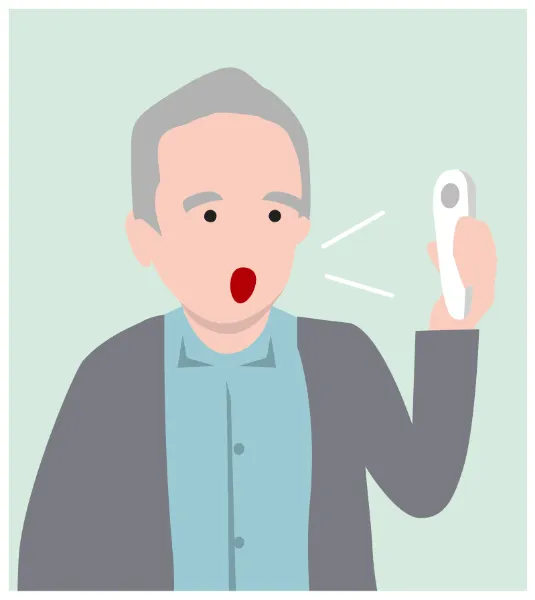
Call from a resident
The conversation unit allows for confirmation of the resident's wishes through conversation.
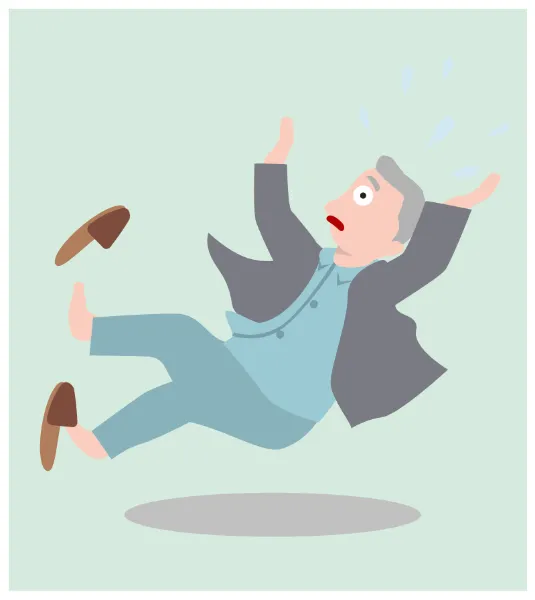
Detection of falls and loud noises
If a loud noise or voice that suggests a fall or accident is detected, a call will automatically be initiated, allowing the caregiver to make contact.
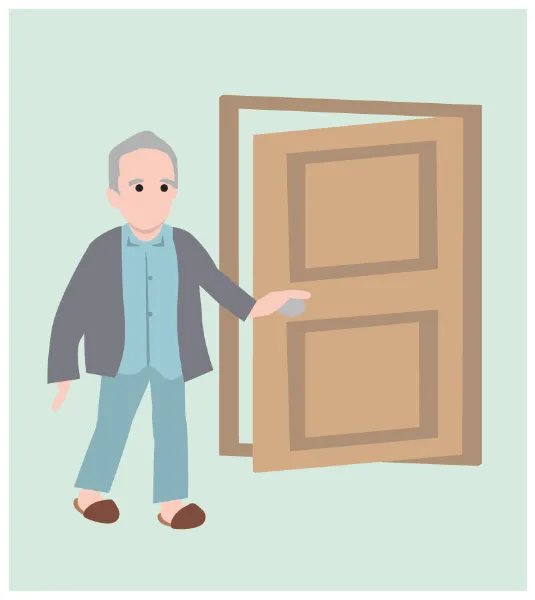
Alerts triggered by detection of resident departure
In cases where a resident leaves their room, a sub-unit attached to the door can detect the resident's departure and issue an alert.
Example screen on a tablet
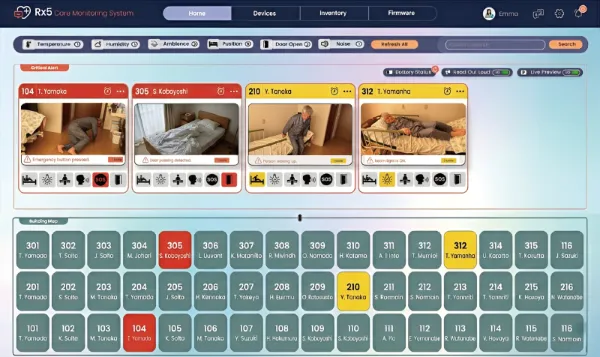
When an anomaly is detected, the camera footage is displayed only when necessary. The video allows for a visual confirmation of the situation on-site, enabling immediate decisions on whether a response is needed and what actions should be taken.
It is also possible to switch to a mode where the video is not displayed at all times.
Night shift monitoring patterns
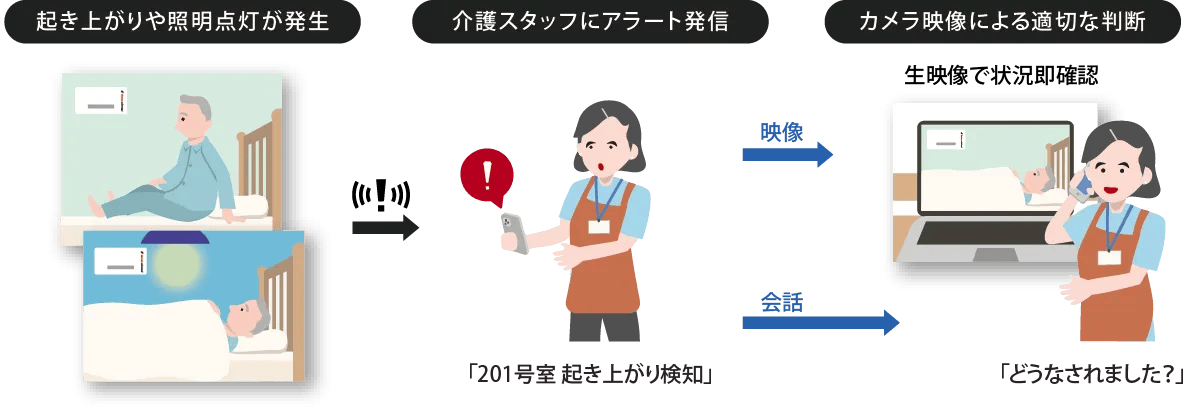
Pattern 1: Detecting when a person gets up and turns on the lights
By detecting signs of behavior such as getting up or changes in lighting, we can understand the situation before an accident occurs and make appropriate decisions.
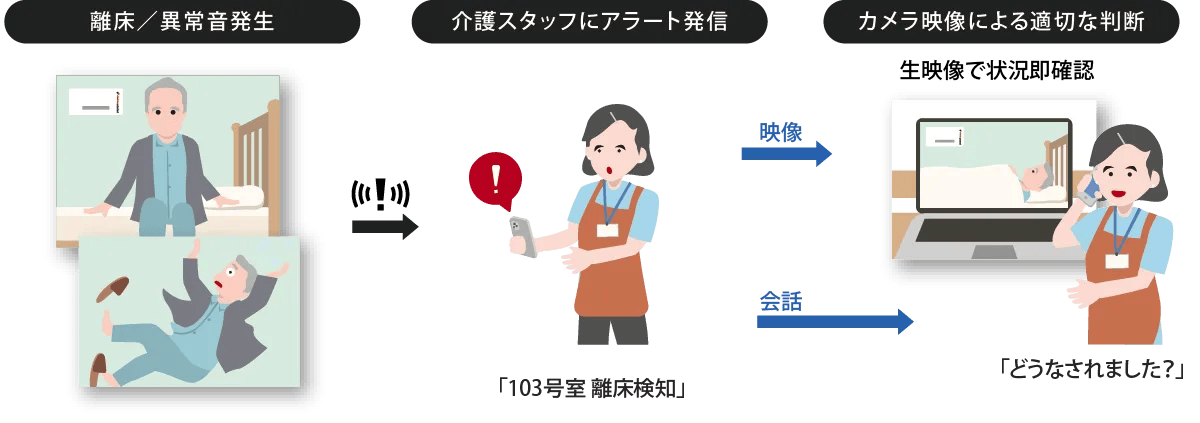
Pattern 2: Detecting getting out of bed and abnormal behavior
The system detects signs of patients getting out of bed or unusual behavior, and delivers accurate information to the scene before a dangerous situation develops.
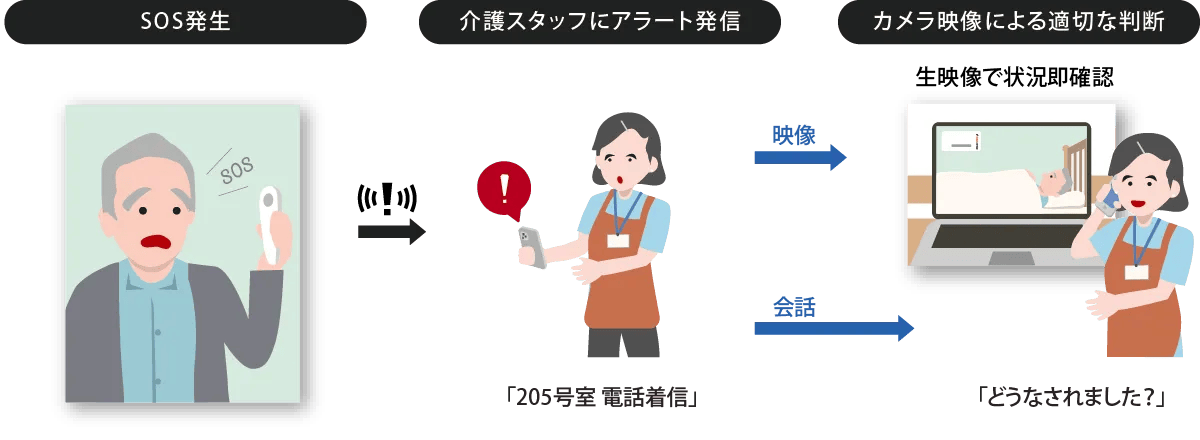
Pattern 3: SOS operation
We ensure that residents' requests for help are effectively translated into on-site support.
Because you can intuitively understand the condition of the room even before you go to see it, this leads to a calm and composed response without panicking.
The process from detecting the "signs" to taking action
Step 1: Sensing the signs
By combining multiple sensors, it can quickly detect serious signs that could lead to falls or accidents. We capture every "pre-accident movement" that could lead to an accident!

Step 2: Share via alert
When an anomaly is detected, an alert and camera footage are transmitted wirelessly. This footage can then be remotely shared on a tablet or smartphone from a distance. The detected "signs" are instantly digitized and notified via intuitive alerts.

Step 3: Understanding the situation
Staff can intuitively understand the situation in rooms where alerts have been triggered through live video feeds and determine in advance what kind of assistance is needed. Check the video and call status on your device and decide whether to go now.

Step 4: We'll handle it while talking
Even while waiting to arrive, the system allows for a more accurate understanding of the resident's condition through the conversation function, enabling safe guidance through verbal communication. Staff can communicate using tablets/smartphones.
A worry-free investment with significantly lower costs than competing products.
The quality of monitoring remains unchanged, while the ease of implementation reduces the burden on management.
Basic 4-piece set (per room)
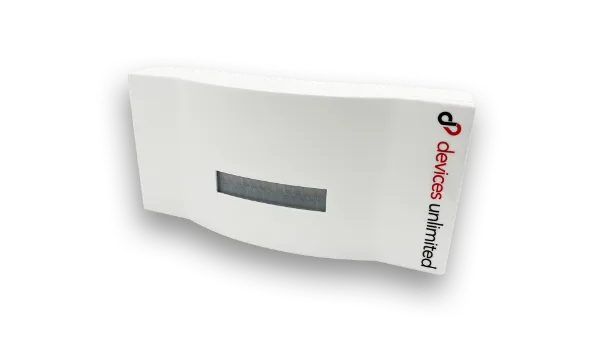 1Main Unit2subunit3Conversation Unit4Camera unit
Additional Units
Additional subunitsAdditional conversation unitsAdditional camera unit*Prices are open prices. Implementation requires separate initial setup fees for the entire facility and monthly support service fees.
*A 24-month lease (ownership after lease ends) is also available to reduce initial costs.
* Please provide your own Wi-Fi or internet connection.
Specifications List
RX5-JP-Main: Main Unit
| Sensor type | Humidity, temperature, LDR, PIR sensors |
|---|---|
| Power input | USB-C |
| Power supply voltage | 5VDC |
| Power consumption | 2W (maximum 5W) |
| Transmission distance | Up to 30m (in an open area indoors) |
| Operating temperature | 0℃ ~ 70℃ |
| Enclosure material | ABS plastic |
| External dimensions | 98mm × 204mm × 33mm |
| Weight | 250 g |
| Speaker | 1.5W |
| Microphone | S/N ratio -61dB |
RX5-JP-Sub: Subunit
| Sensor type | PIR sensor |
|---|---|
| Power supply | Two AA batteries (1.5V) |
| Power consumption | AA below 3.5W |
| Transmission distance | Up to 10m (in an open area indoors) |
| Operating temperature | 0℃ ~ 70℃ |
| Enclosure material | ABS plastic |
| External dimensions | 55mm × 125mm × 55mm |
| Weight | 150 g (excluding batteries) |
RX5-JP-Talk: Conversation Unit
| Power supply | Two AAA batteries (1.5V) |
|---|---|
| Power consumption | Below 3.5W |
| Waterproof | IP55 |
| Transmission distance | Up to 30m (in an open area indoors) |
| Operating temperature | 0℃ ~ 70℃ |
| Enclosure material | ABS plastic |
| External dimensions | 43mm × 141mm × 23mm |
| Weight | 150 g (excluding batteries) |
| Speaker | 1.5W |
| Microphone | S/N ratio -60dB |
RX5-JP-Camera: Camera Unit
| Sensor type | Webcam |
|---|---|
| Power supply | DC: 12V / 1A |
| Power consumption | Below 5W |
| Transmission distance | Up to 30m (in an open area indoors) |
| Operating temperature | 0℃ ~ 50℃ |
| Enclosure material | ABS plastic |
| External dimensions | 141.4mm × 69.8mm × 159mm |
| Weight | 205 g |
Customer Feedback
How is it actually being used in nursing care facilities? Here are some testimonials from facilities that have implemented it.
For quotes and inquiries, please click here.
Inquiry